
Your dev tools ate
your disk. Get it back.
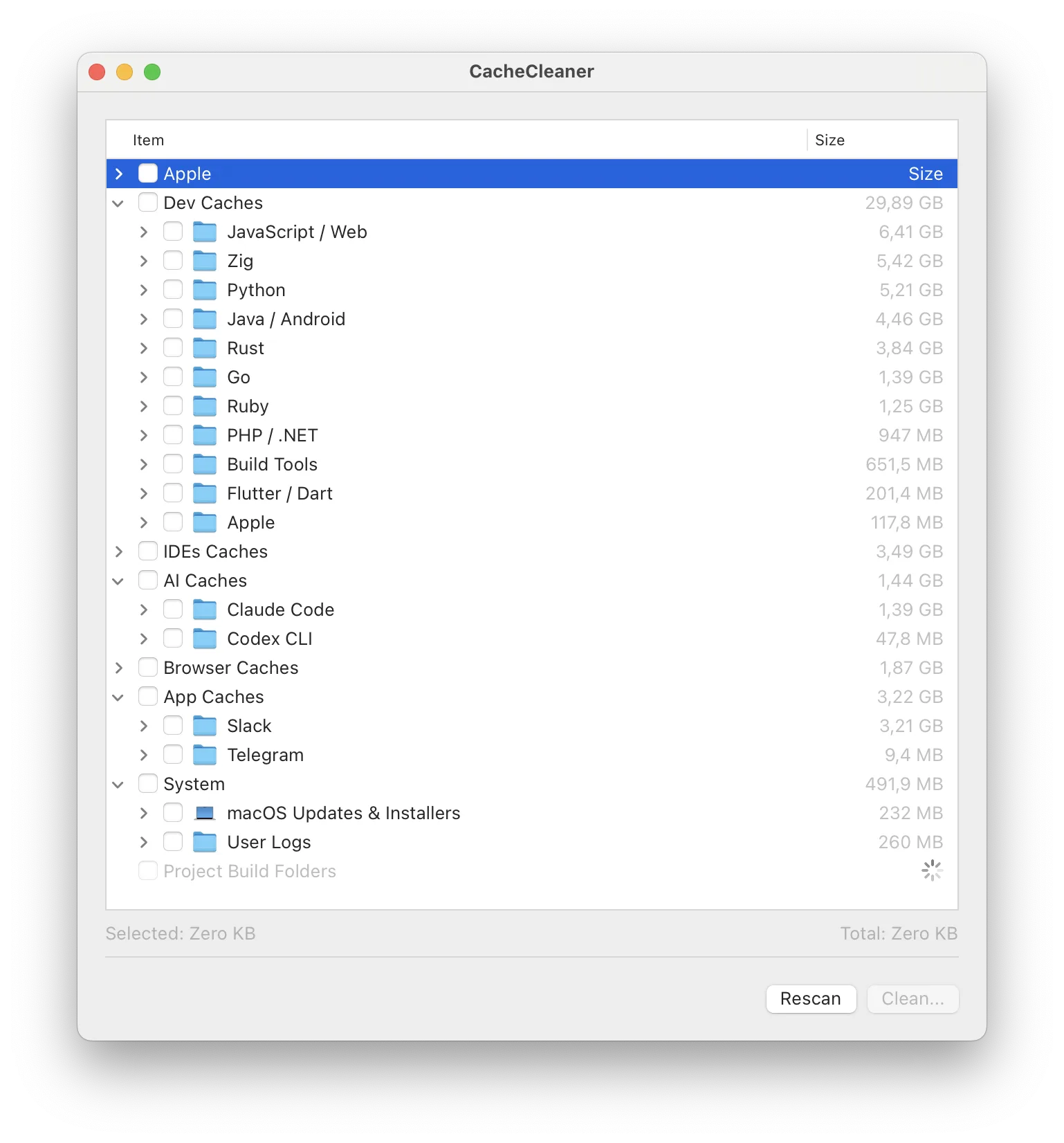
Xcode symbols, Docker layers, node_modules, cargo registries, old simulator runtimes – tens or hundreds of gigabytes of junk you will never need again. CacheCleaner finds all of it, shows you exactly what it is, and deletes only what you pick.

brew install nzrsky/tap/cachecleaner
Lite is sandboxed for the App Store: platform runtimes, system cleanup & Safari cache need the full version.
Why it exists
Every developer’s Mac fills up the same way. Xcode keeps
debug symbols for every OS version you ever plugged in. Docker
never shrinks. Every project you cloned once still has its
node_modules, its target, its
.build. None of these tools clean up after
themselves – they assume disk space is someone
else’s problem.
CacheCleaner walks your whole disk, knows what each folder is, and tells you which ones are safe to drop and which ones are more than just a cache.
What it cleans
- xcodeDevice support symbols, DerivedData, archives, docs and simulator leftovers.
- runtimesSimulator platform runtimes (iOS/watchOS/tvOS/visionOS) removed safely via simctl.
- packagesSwift Package Manager, Carthage, CocoaPods.
- dev toolscargo, rustup, zig, go, bun, npm, pnpm, yarn, nvm, gradle, maven, brew, Android SDK, Docker, OrbStack, pip, uv, conda, gems…
- aiHugging Face, Ollama, LM Studio, PyTorch, Claude Code, Codex.
- browsersSafari, Chrome, Firefox, Arc, Brave, Edge and the rest.
- systemTime Machine local snapshots, Trash, downloaded macOS updates and installers.
- projectsWhole-disk scan for per-project build folders: target, .build, node_modules, Gradle builds, virtualenvs, local DerivedData.
What it isn’t
Not a “system optimizer”. Not a RAM booster. It never selects anything for you.
For
Guides
- xcodeIs it safe to delete DerivedData? · The complete Xcode cache map
- simulatorDelete old simulator runtimes (5-8 GB each)
- nodeFind every node_modules on your disk
- dockerDocker is eating your disk – prune it right
- system“System Data” decoded · Time Machine snapshots
- moreRust · Gradle · Python · AI models · Homebrew · all guides →
FAQ
Is it safe?
Scans are read-only. Nothing is selected by default, and items whose deletion is more than just a cache (Docker VM data, installed language versions, iOS backups) are clearly marked with ⚠️ warnings. Still, the app relies on internal folder structures – make a backup if you want to be sure.
Does it collect or send any data?
No. No account, no analytics, no telemetry, no network calls. Everything happens locally on your Mac.
Is there a command-line interface?
Yes. The same binary works as a CLI: cache-cleaner info scans and prints everything without changing anything; cache-cleaner clean deletes the categories you pick.
Will it delete something I need?
Only if you tell it to. It never selects anything for you. Every item shows exactly what it is and where it lives, and anything that is more than a disposable cache carries an explicit warning.
How much space will I actually get back?
On an active dev machine, typically 30-150 GB: device support symbols alone are 2-5 GB per OS version, each simulator runtime is 5-8 GB, Docker VMs run 30+ GB, and forgotten node_modules/target folders add tens more.
Is it safe to delete DerivedData and caches?
Yes – everything pre-selected by CacheCleaner is regenerable: caches are rebuilt, packages re-downloaded, symbols re-fetched. The cost is a slower first build. Items that are more than a cache are never pre-selected and carry ⚠️ warnings. See the guides for per-cache details.
CacheCleaner is free software, provided “as is”, without warranty of any kind. It only ever deletes what you select – but what you select is your call and your responsibility. Review the list before cleaning and keep backups of anything you can’t afford to lose.